To change username in your FLOQ account, you may follow these instructions:
1. Go to the profile menu at the top right corner.
2. Click on "Account Details"
3. Click on "Username"
4. Click edit on the pencil icon next to "Username"
5. Type in your desired "Username."
6. Click "Continue" to proceed.
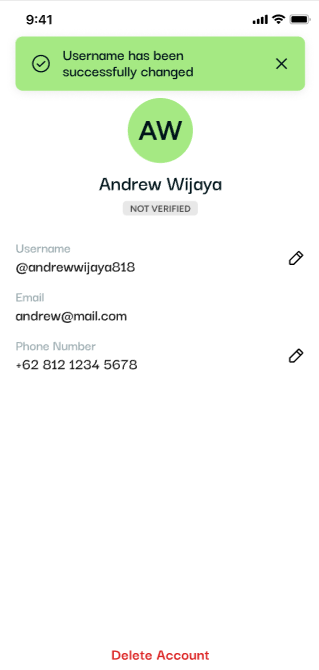
7. Congratulations, the "username" change has been successful.
Follow us on social media for the latest updates and programs.
📱 Instagram: @Floq_Id
🐦 X (Twitter): @Floq_Id
🎵 TikTok: @Floq_Id
▶️ YouTube: @Floq_Id
📘 Facebook Page: Floq_IDN
🌐 Website: www.floq.id
💬 Telegram: https://t.me/floq_id
🗨️ Discord: discord.gg/VtFWcquc