Reward button is used to check prize/discounts you earned.
Here are the steps to view the Reward Menu:
1. Select the profile menu in the upper right corner.
2. Click the reward menu.
3. The list of discounts you have will appear on this page.
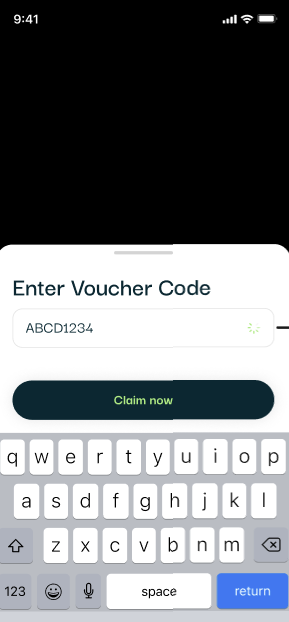
4. If you have a discount code, you can click Enter code
5. Fill in your voucher code, and click "Claim Now"
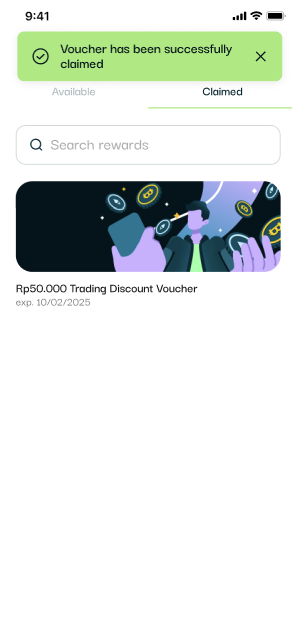
6. If the claim process is successful, you will receive the following notification.
Follow us on social media for the latest updates and programs.
📱 Instagram: @Floq_Id
🐦 X (Twitter): @Floq_Id
🎵 TikTok: @Floq_Id
▶️ YouTube: @Floq_Id
📘 Facebook Page: Floq_IDN
🌐 Website: www.floq.id
💬 Telegram: https://t.me/floq_id
🗨️ Discord: discord.gg/VtFWcquc